Benvenuti su Pro Rank Tracker!
 עברית
עברית عربي
عربي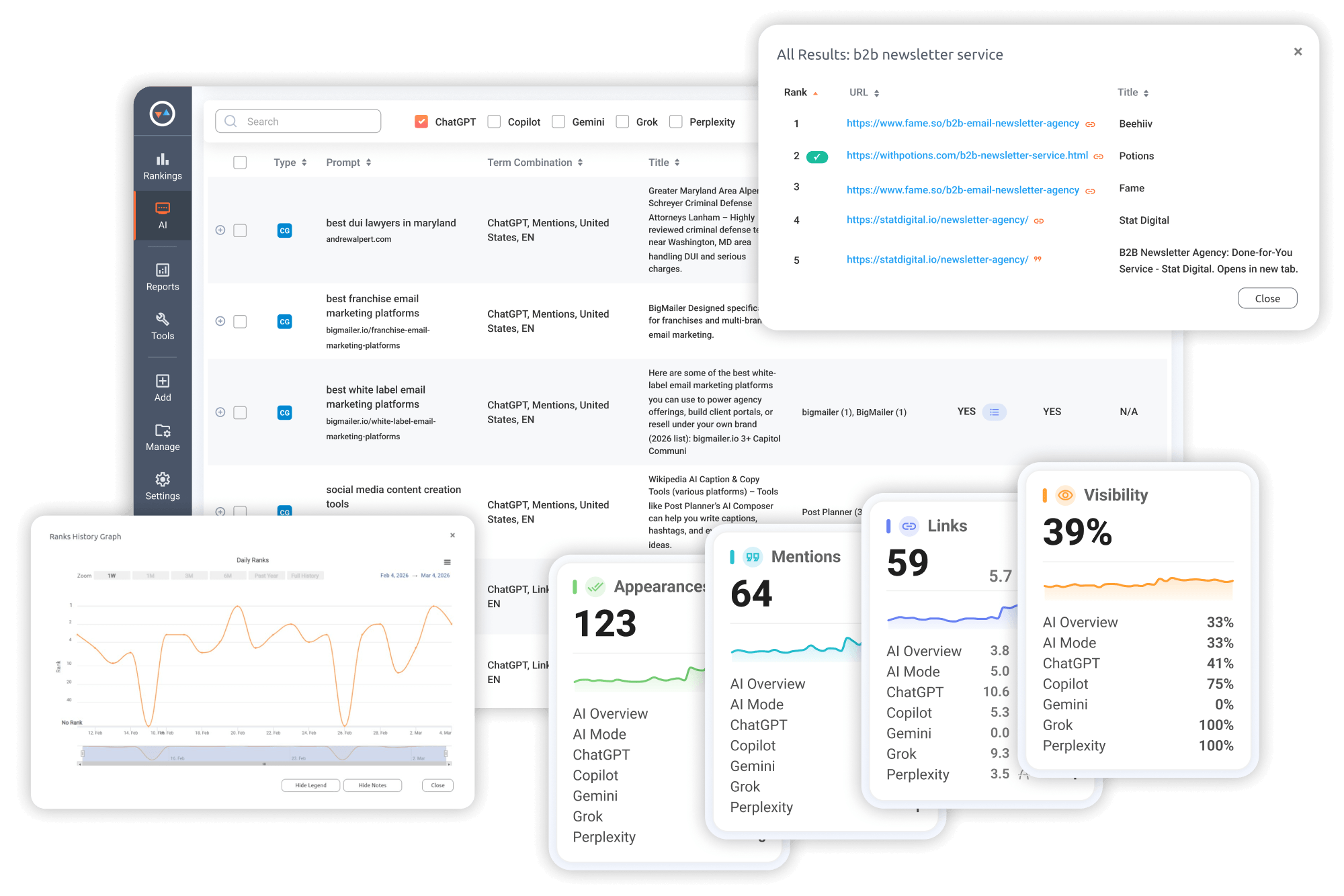
Track Your Entire Search Visibility in One Place Without Add-Ons
G Top-100 Organic Rankings
 Desktop & Mobile Results
Any Location & Language
Desktop & Mobile Results
Any Location & Language
G Business Profile (Maps)
Snack Pack (Local 3-Pack)
Local Finder - Top 100 Map GBPs
Video Rankings
YouTube Results
G Video Results
AI Results Rankings
AI Overviews & AI Mode
ChatGPT, Gemini, Copilot, Perplexity


Other AI Rank Trackers...
- ✖ Make you pay extra to track each AI platform
- ✖ Make tracking prompts at scale painfully expensive
- ✖ Only refresh data weekly, so important day-to-day changes get missed
- ✖ Don’t offer traditional organic and AI rank tracking together
- ✖ Give you reporting that is clunky for sharing with teams and clients
Pro Rank Tracker...
- ✔ Includes ChatGPT, AI Overviews, AI Mode, Gemini, Perplexity, and Copilot — no add-ons required
- ✔ Tracks more prompts at a scalable rate with flexible credit allocation
- ✔ Refreshes data daily so you can catch visibility shifts as they happen
- ✔ Combines AI visibility tracking and traditional Google rank tracking on one platform
- ✔ Offers white-label, scheduled, and shareable reports for teams and agencies
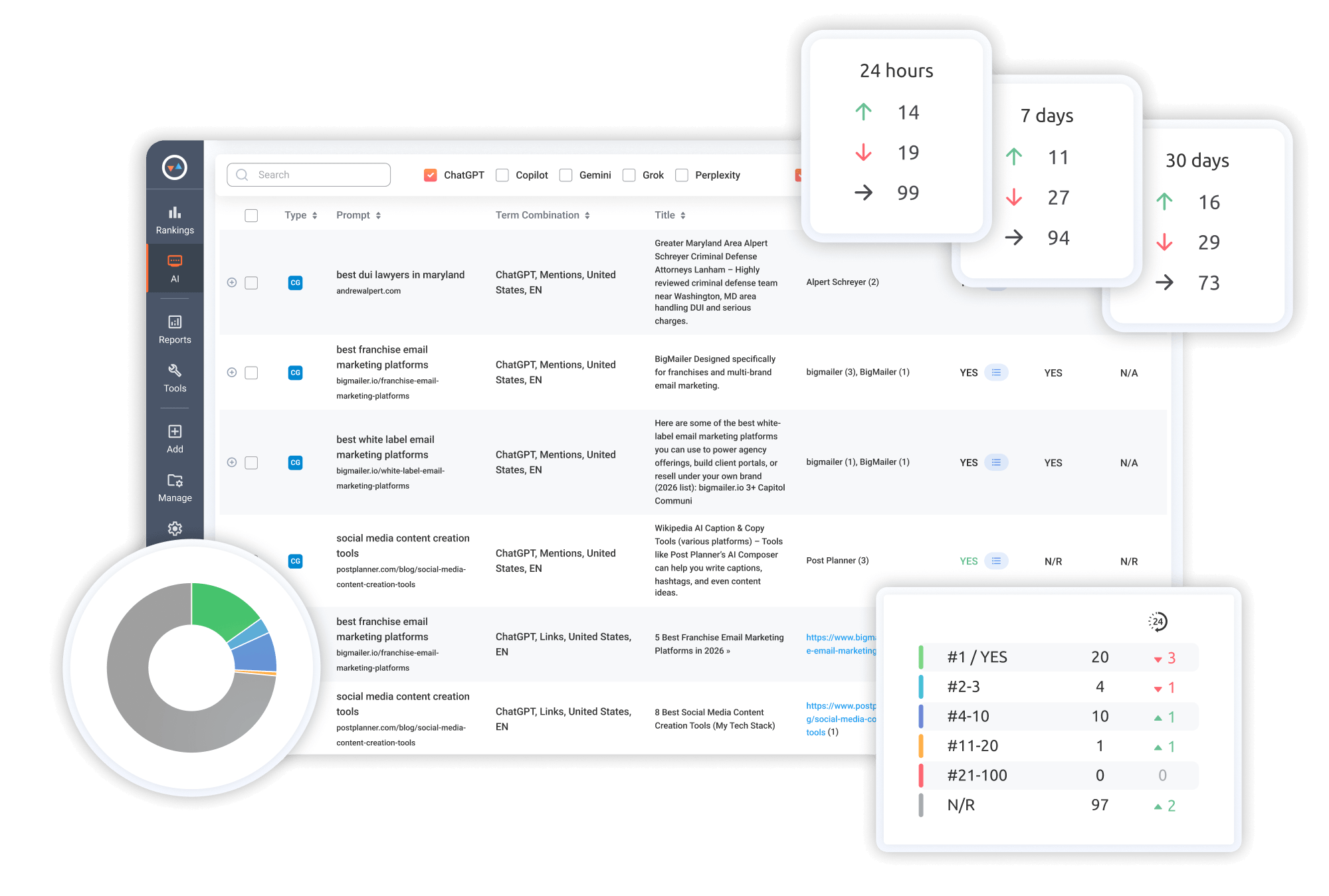
See exactly how you’re showing up in ChatGPT answers
Switch between Mentions-only and Link-only views
Review what AI says about your brand when mentioned in a response
Track how your Links and Mentions are trending daily, weekly, and monthly
See how your URL ranks compared to other sources cited in the same ChatGPT answer
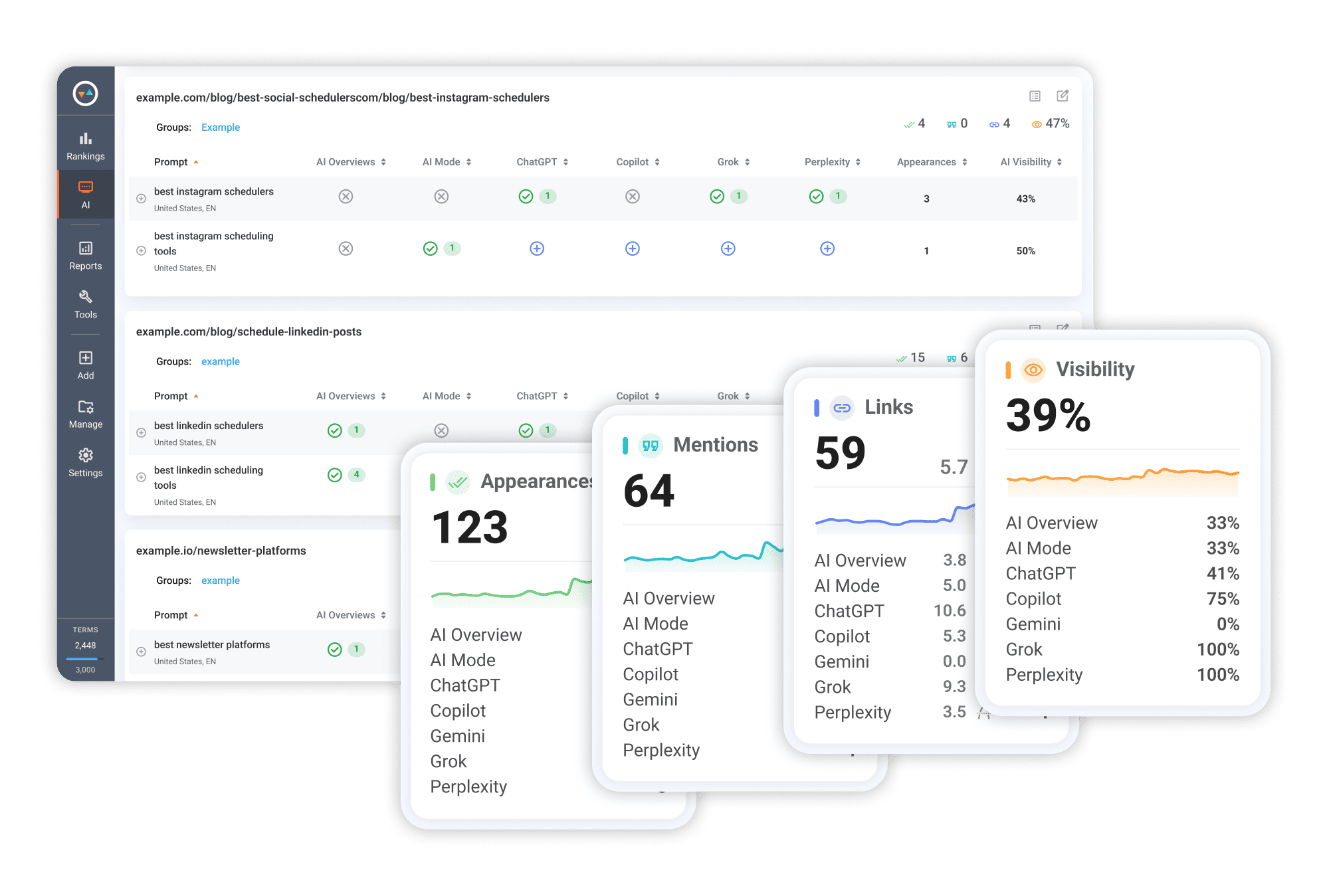
See your complete AI visibility from one unified dashboard
Compare visibility across AI Overviews, AI Mode, ChatGPT, Gemini, Perplexity, and Copilot
Track how often your brand is mentioned or URLs are cited in AI answers
Monitor daily changes to spot gains and drops immediately
See total AI appearances across Mentions and Links
Break down visibility by specific URL
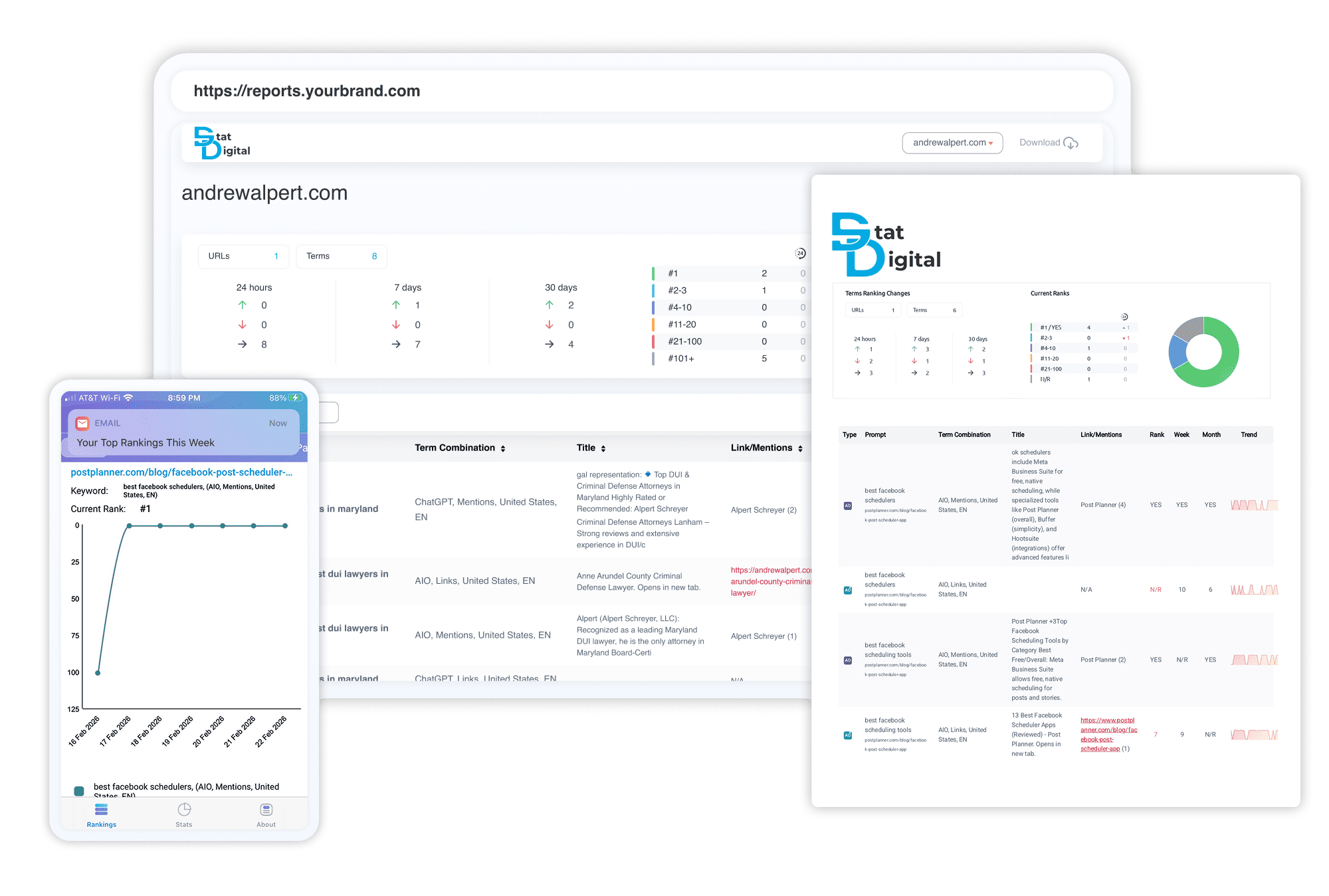
Automate fully branded, customizable ranking reports that keep teams and clients aligned
Schedule email reports to go out daily, weekly, or monthly
Instantly export reports as files (PDF, XLSX, CSV), Google Sheets, or emails
White-label reports with your logo, colors, headers, footers, and cover letters
Share live report links with optional password protection, white-labeled with your logo and domain
Set alert notifications to trigger when your rankings change
Give clients self-serve access to their rankings with the MyRanks mobile app
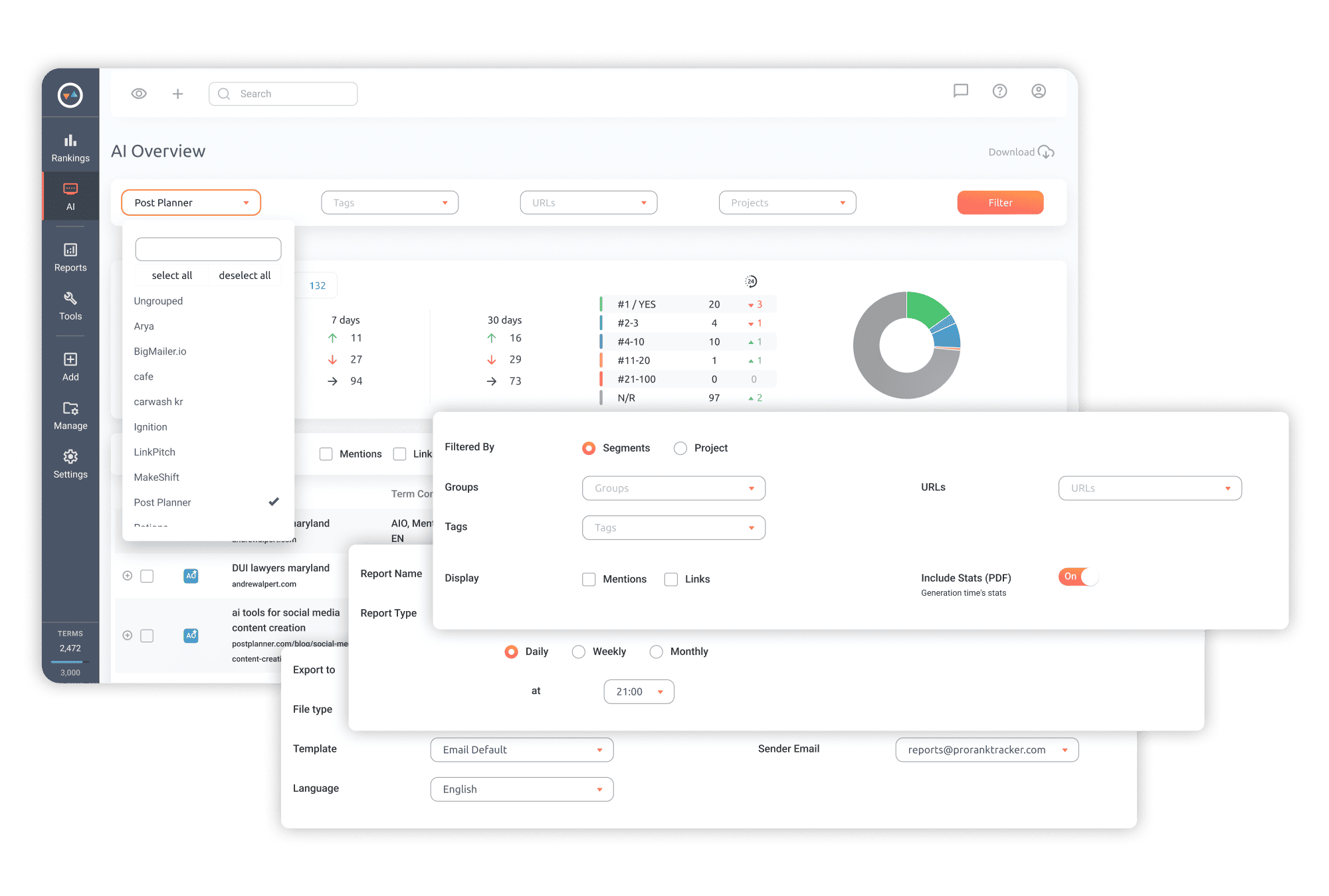
Organize and sort your ranking data in a way that fits your workflow
Build reports for individual campaigns or clients using Projects, Groups, and Tags
Filter by location, language, or ranking range
Choose to display Mentions, Links, or both
Filter to show only rankings that dropped, jumped, or held steady
Frequently Asked Questions
What is ChatGPT Rank Tracking?
ChatGPT Rank Tracking shows how your brand appears inside ChatGPT answers.
It tracks visibility through Links (URL citations and sources with position data) and Mentions (brand or product references that appear in the answer text).
It tracks visibility through Links (URL citations and sources with position data) and Mentions (brand or product references that appear in the answer text).
How is ChatGPT Tracking different from regular SERP tracking?
Traditional SERP tracking shows where your URL ranks in standard organic search results (the 10 blue links).
ChatGPT Rank Tracking measures two different visibility signals inside the AI answer:
ChatGPT Rank Tracking measures two different visibility signals inside the AI answer:
- Whether your brand is Mentioned in the answer
- Where your URL appears among the linked sources
What is a Mention in ChatGPT?
A Mention is when your brand or product name appears in the ChatGPT answer text.
In many cases, these mentions appear as plain text rather than clickable links, often inside lists with supporting explanation.
In many cases, these mentions appear as plain text rather than clickable links, often inside lists with supporting explanation.
What is a Link in ChatGPT?
A Link is an external URL shown inside the ChatGPT answer or included in the source list beside the answer.
What can I track in ChatGPT?
You can track two main types of AI visibility:
- Links (Sources & External URLs) - Track every URL referenced in the ChatGPT answer, including in-answer links and listed sources. See ranking position and total link count.
- Mentions (Text-Match Visibility) - Detect when your brand or product name appears in ChatGPT answers without needing a link. View sentence context and total mention count.
Can I see my competitors’ results?
Yes. In Link results for any tracked prompt, you can view the other URLs ChatGPT cited in that same answer.
You can also track competitor brand names as Mentions to compare how often they appear in ChatGPT responses.
You can also track competitor brand names as Mentions to compare how often they appear in ChatGPT responses.
How often are AI results updated?
PRT updates AI visibility data daily, the same way it handles regular SERP tracking.
Because AI answers can change quickly, your brand or link may appear one day and disappear the next.
If you only check weekly or monthly, you can miss important visibility swings.
Daily tracking gives you a much clearer picture of progress and volatility.
Because AI answers can change quickly, your brand or link may appear one day and disappear the next.
If you only check weekly or monthly, you can miss important visibility swings.
Daily tracking gives you a much clearer picture of progress and volatility.
How is AI Rank Tracking priced and counted in my plan?
AI tracking uses Terms from your quota.
Each AI prompt + URL + platform/location = 2 Terms.
If you track the same prompt across multiple locations or platforms, each combination counts separately.
Organic rank tracking is simply 1 Term per keyword combination, for reference.
For example, 1,000 Terms = 500 AI prompt combinations, or a mix of AI + organic tracking, depending on how you allocate them.
Each AI prompt + URL + platform/location = 2 Terms.
If you track the same prompt across multiple locations or platforms, each combination counts separately.
Organic rank tracking is simply 1 Term per keyword combination, for reference.
For example, 1,000 Terms = 500 AI prompt combinations, or a mix of AI + organic tracking, depending on how you allocate them.
Which other AI platforms and features are supported?
Google AI Overviews, Google AI Mode, ChatGPT, Gemini, Perplexity, and Copilot.